Use Your Own Domain with a S3 Static Website

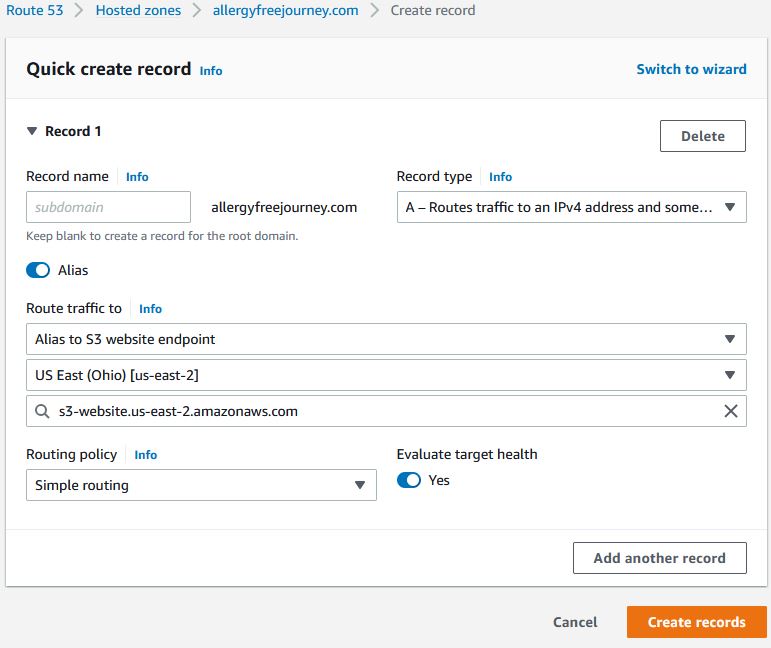
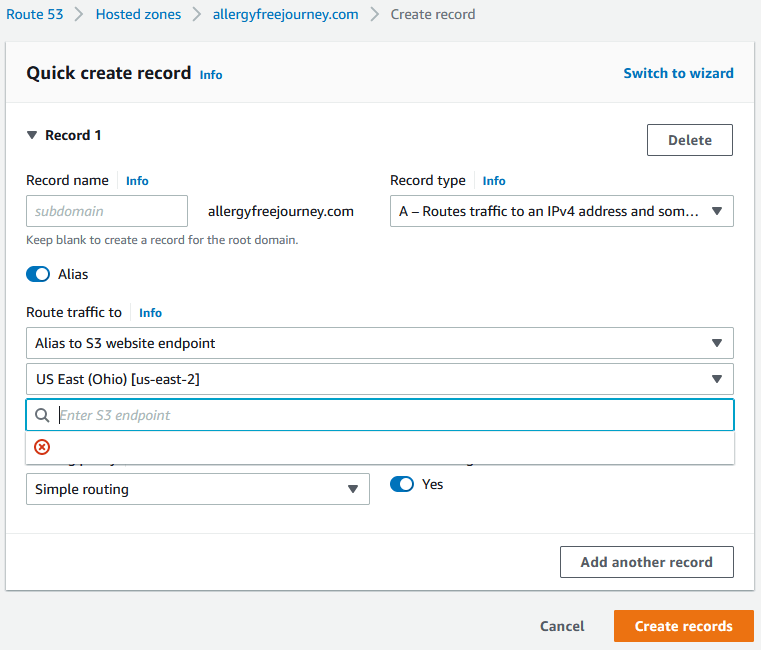
At first, I couldn’t figure out why I couldn’t create a DNS record in Route 53 to my static website in S3. I saw that I needed to created an S3 bucket with the name of my domain. I thought I should be able to create a new record in Route 53 with an alias. For example, my S3 bucket is named allergeyfreejourney, but there was no S3 endpoint to select.

Then I realized what I did wrong. I read the documentation, but it didn’t hit me at first that the domain name needed to be the exact same. The bucket name needed to include the top level domain. Therefore, I created a new S3 bucket and added the .com this time. For example, my S3 bucket is named allergeyfreejourney.com. Bam! Now I was able to select my S3 endpoint.

Fun and Learning at VMware Explore 2022

VMware Explore US is this month! I am excited to be at an in person VMware event for the first time in three years. I have been planning out my schedule and it’s jammed packed as always. There are a lot of great sessions to chose from during the day and a lot of entertainment at night (party list).

Content catalog has 814 sessions, at the moment, spread across the four days and a VCDX workshop on Monday. Hard to do it, but I narrowed down what I could squeeze into my schedule. Keep in mind only up to three ‘Meet the Expert’ sessions can be added. I like to focus on sessions that I can apply what I learn as soon as I get back to work. Below is what I have on my schedule.

A First Look at Building Your Own Management Pack without Writing Code
Advanced Troubleshooting of ESXi Server 7.x for vSphere Gurus
Networking and Security Analytics, and the Evolution of the NSX Platform
Advanced Topics in VMware vRealize Operations
Automated VM Rightsizing with Ease
Advanced Topics in VMware vRealize Log Insight
PowerCLI and REST APIs – A New Beginning

The sessions I am most looking forward to are the VMware Code sessions that involve a NUC. The sessions are similar to what they did in 2019 with the Raspberry Pi sessions. You get to work on a NUC focusing on two different topics. There is limited availability for each session so register soon. If you are waitlisted, still show up. Worse case is you sit on the side line and listen to the presentation. If you are a vExpert and answered the program survey on attending, you will be given a NUC to take home.

VMware {code} Intel NUC Home Lab with Smart Sensors
VMware {code} VMware Tanzu on Intel NUC Lab Environment Setup and Application Building

The online events over the past two years were good filler, but it’s hard to match the networking that is done at this event. I am looking forward to learning from and hanging out with the best in the industry. I am sure the expo area will be full with vendors and a great party on Wednesday night hosted by VMware. I wonder what big announcements will be made and what artists will be at the official party.

VMware Skyline Advisor Pro Technologist Badge

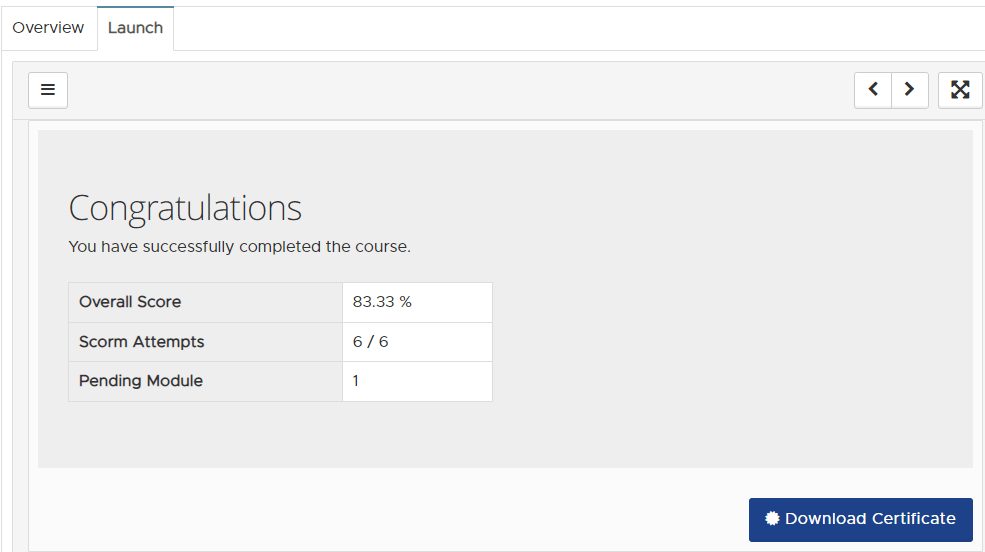
VMware is offering free Skyline training and a Skyline badge. There are training modules and questions after each module. I spent around three hours to get through it all. Score at least 80% on the questions and you will earn the VMware Skyline Advisor Pro badge. The offical article for it called it a certification, but it’s deiniftely a badge. It took 6 days after I completed the course for it to show up on my Credly account. The course showed up on my course transcript summary in Customer Connect Learning. However, the badge did not display there and did not on myTransript at mylearn.vmware.com. All of my other certificates and badges are there.

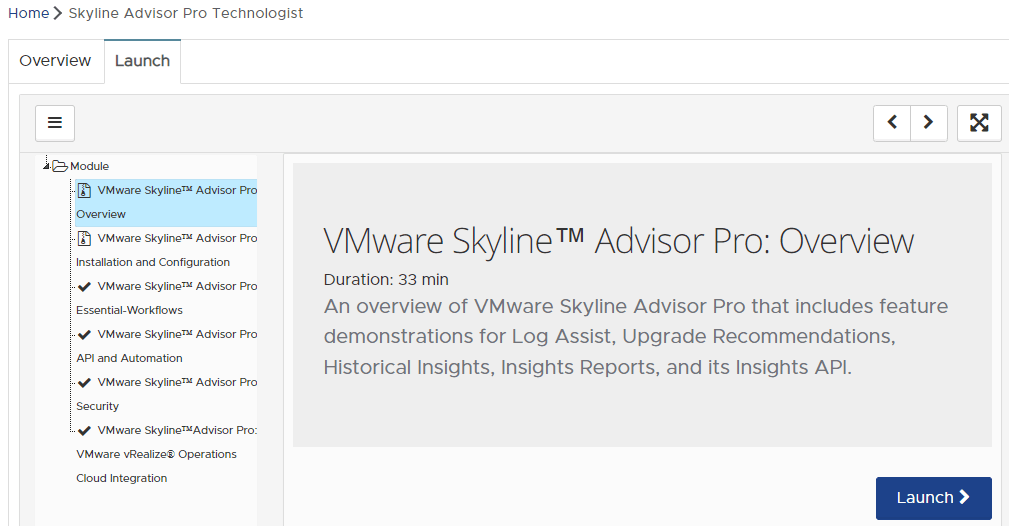
Should receive a check mark after each module is completed.
Completed.

The first three modules are unnecessarily repetitive. The last three modules dive into more areas: API, security, and vROps intergration. I got the most out of the vROps intergration module since I did not know this was possible. vROps can display a dashboard with a subset of Skyline data. Though, this module doesn’t go deep enough to be able to implement this intergration and the documentation I found is spotty. I will do a separate article on this topic.

I recommend all VMware users to go through this course. It’s definitely worth the time. I am sure everyone will get something out of it and receive a new, shiny badge.

vExpert 2022 and VMworld

That time of the year again for this article. I am now a vExpert for five years in a row. After two years of only online events, VMworld is back in person and will have some sort of virtual option. Will be interesting to see how the king of hybrid cloud will handle a hybrid event. Starting August 29 – September 1 in San Fran and then November 7-10 in Barcelona. I imagine proposals should be starting soon and then more details to get everyone pumped up.

Where are those vCLS machines hiding?

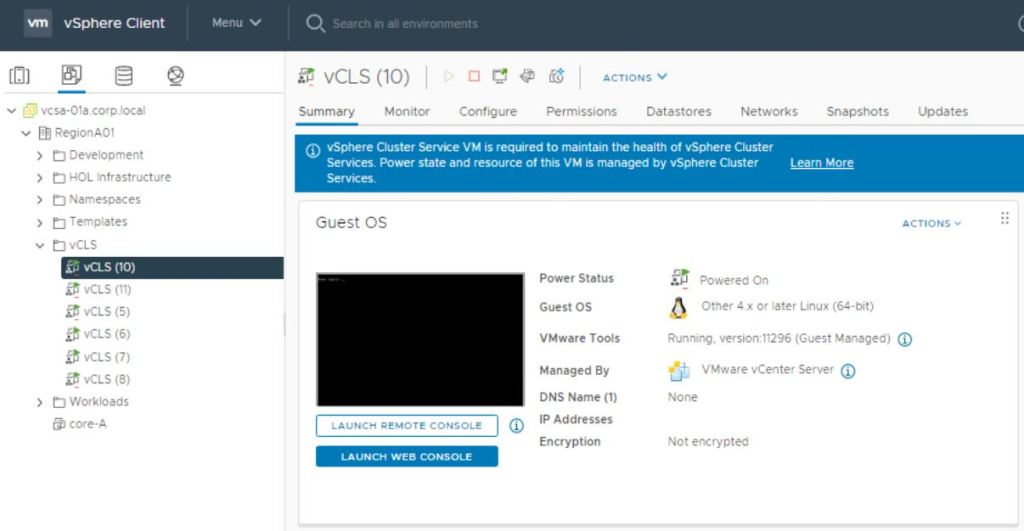
Everyone has noticed the tiny (1CPU, 128MB memory) vCLS machines (vSphere Cluster Services) that deployed in our environments after the 7.0 U1 upgrade. I like the concept of them that remove the dependency of vCenter being up for DRS to function. I envision that VMware will add more features that no longer depend on vCenter in future releases. There’s a little quirky thing that only an admin account in vCenter can see the vCLS machines. Searching with a non-admin account will only find the vCLS tags. Not really many scerionos that someone needs to interact with them, but one is to migrate them off a datastore you don’t want them to use.

vRealize Password Trouble

Even if you document every password you created, you may still run into password related issues. Root password expirations are easy ones to miss, especially when you don’t know when the password is going to expire. Most vRealize products expire root accounts password after 365 days. I recommend disabling password expiration for root and admin passwords for vRealize products if you can. Of course, still rotate the passwords. That way you are not in a tough spot if you miss the chance to easily change it. Either way, make a reminder in your PAM to change the passwords if you have a policy to rotate passwords. Below are some tips if you cannot log in to one of your vRealize products.

For example, if you are sure you know you are using the correct password to SSH with root and it’s saying your password is wrong, start off with rebooting each node one at a time. Then SSH into each node with the current password. Hopefully, you’ll be prompted that the password expired and to change it. This also works for NSX Manager nodes. If it’s an account that was recently locked out, waiting about one hour worked for me in the past.

VMware has documentation for each vRealize product to reset the root password. It’s generally booting into single user mode when using Photon OS. It also has ways in documentation to disable the password expirations.

If you are using vRealize Lifecycle Manager, make sure to update passwords in its Locker. Your accounts will lock out if you don’t do it.

Configure SMTP for everything that has the ability and set email addresses for all accounts. Password reset links are emailed out for Log Insight. Therefore, best to have this squared away ahead of time in case a user needs their password reset.
End of Year

Saying the end of this year has been busy is the understatement of the year. The log4j vulnerbilities hit an extreme amount of products from various vendors across most enterprises. I have applied workarounds to nine VMware products to remediate Log4Shell. It has seemed almost neverending with new vulnerabilities related to log4j being discovered as the past couple of weeks have unfolded. It was nice when VMware offered scripts to do most of the work. I am happy that ESXi was not affected.

Make sure to apply the workaround to your NSX Intelligence Appliance. I think it’s an easy one to forget about. Also, KB87150 for this workaround has a small typo in step 6. Easy to miss it when copying and pasting. Will get an error message; command not found. Below is the correct syntax. I reported the typo so, hopefully, it will be fixed soon.

Step 6: dpkg -i zip_3.0-12_amd64.deb

I am glad to be a part of the vExpert program for the past four years. I have gotten a lot out of it from discussions on the private vExpert Slack to licenses for nearly every VMware product. The program has expanded every year I have been a part of it and I am excited to see what’s in store for next year.

Jumbo Frames

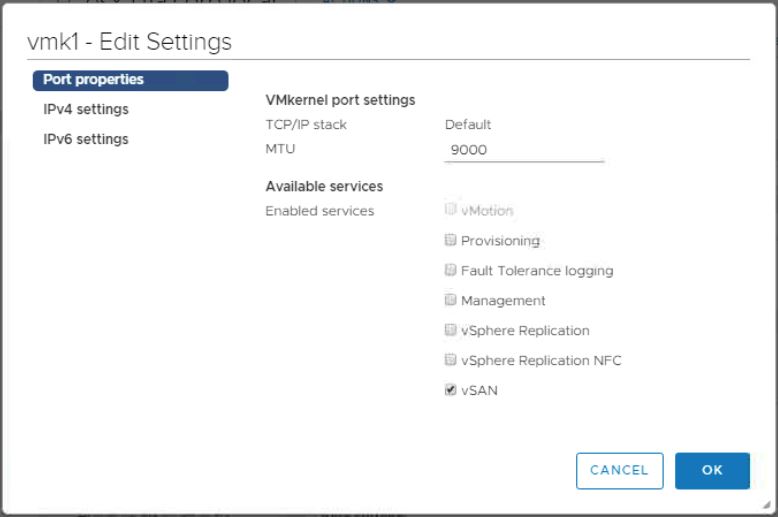
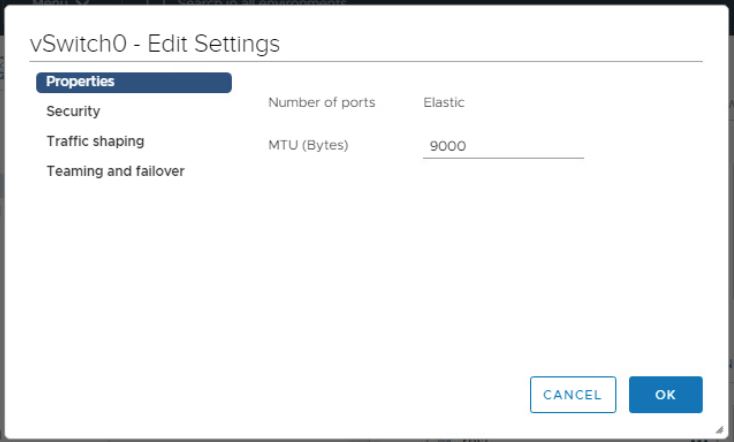
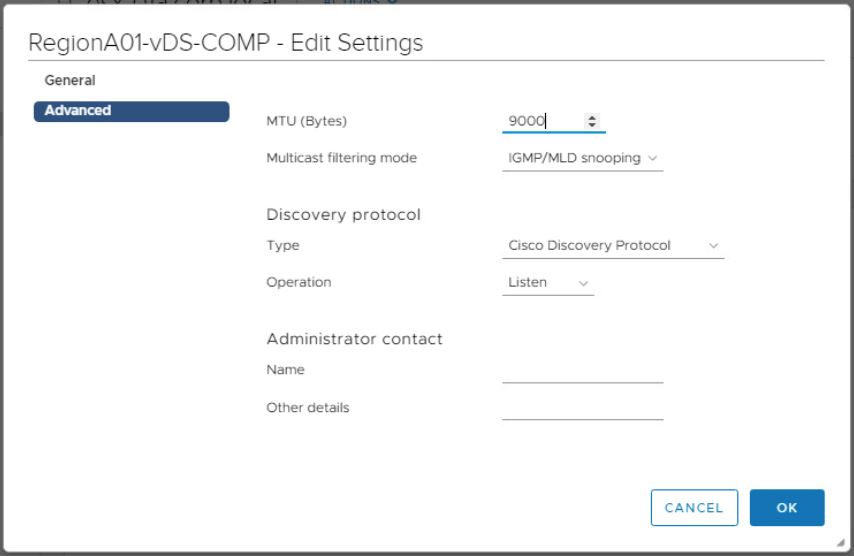
Jumbo frames are the way to go for vSAN, iSCSI, and vMotion VMkernels for increased performance if able to support the larger MTU on all networking devices. MTU of 9000 is supported on standard switches and distributed switches. A mismatch of MTUs can happen and network traffic may seem to be fine when it’s not. vmkping can be used to help test everything is configured correctly for MTU size.

The MTU size can be changed when the VMkernel, vSS, or vDS are in use. Though, there will be a short loss of network connectivity. No worry for vMotion. Can just temporarily disable DRS so no vMotions kick off. Though, careful planning is needed for vSAN, iSCSI, and the virtual switches they are connected to. If a host is using a vSS, the host can be placed in maintenance mode. Then change the MTU for the VMkernels and vSS. However, if using a vDS, the vDS MTU change effects all hosts in the cluster. Also, the VMkernels need to be changed for each host. I tried it on a 5 host vSAN cluster and the vDS change took 72 seconds for the MTU change to apply. VMs lost connectivity during the change and then were fine when the change was fully applied. Of course, this is not recommended to do in a production environment.